TREK: Sounds [Pro]
NSTEnterprisesPersonalization
4.4282.00 Reviews
- Version
- 13.0
- Installs
- 10.00K
- Age Rating
- Everyone
Screenshots
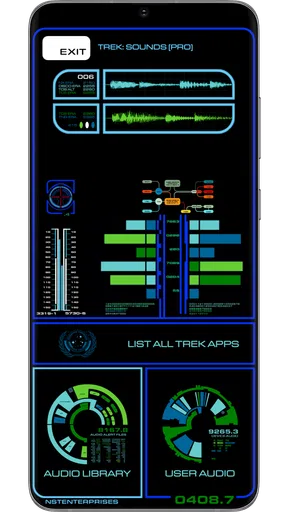
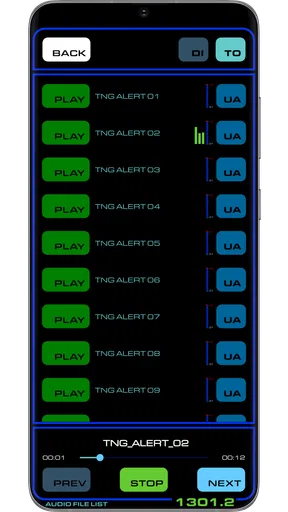
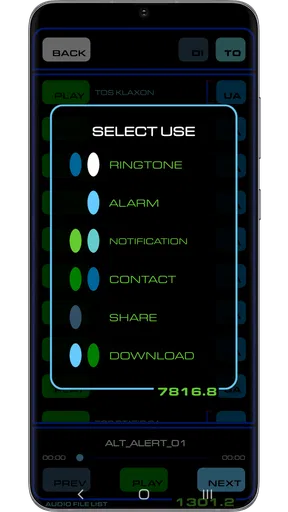
Our Review of TREK: Sounds [Pro]
 Analysis by Appyee
I installed TREK: Sounds because I wanted a more distinctive way to handle everyday alerts than the usual collection of generic beeps. This Personalization app from NSTEnterprises focuses on a very specific idea: using recognizable science-fiction-inspired sounds for ringtones, alarms, and notifications, while also letting me use my own audio. That narrow purpose is exactly what makes it interesting. It is not trying to replace a full theme engine or become an all-purpose audio editor. It is a small sound-customization tool for people who want their phone to feel less ordinary.
My overall impression is positive, especially if you already enjoy classic space-adventure sound design and want that character to appear in practical places. The app has a 4.4 average from around one thousand ratings, with roughly three hundred written reviews, and more than ten thousand installs. Those figures suggest a focused audience rather than a mass-market utility. I think that is the right way to approach it: this is a specialist purchase, not an essential phone tool.
The app costs $2.49, carries an Everyone age rating, and is currently at version 13.0. It was released on December 21, 2014, so its long presence matters here. I would not judge it by the standards of a flashy modern customization suite. Its appeal comes from giving a particular kind of sound a useful place in daily phone behavior.
Why the sound choice matters more than the size of the app
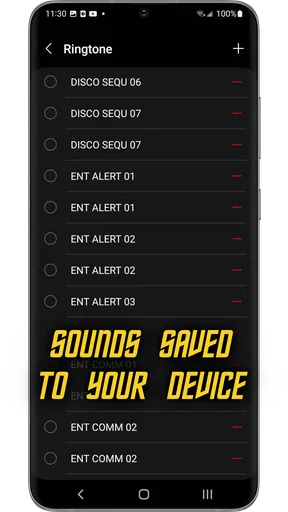
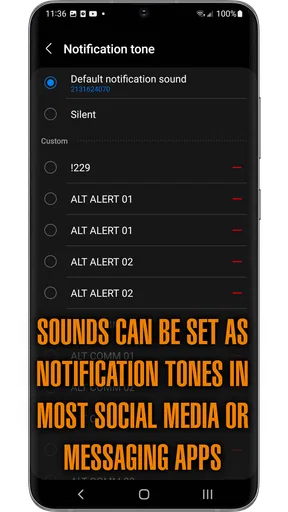
The verified capability worth focusing on is the ability to assign iconic sci-fi-style sounds to several different phone events. In practice, that means I can make a ringtone feel like a deliberate choice, give an alarm a stronger identity, and make notifications easier to recognize without looking at the screen. The important effect is not simply novelty. It is audio context: a sound can tell me what kind of interruption is happening before I pick up the phone.
That distinction is useful because many phones already include plenty of ringtones. The problem is that the standard choices tend to blur together. A short notification tone may be pleasant, but after hearing it repeatedly, I can stop noticing it. A clearly different science-fiction sound creates a stronger mental association. I know that a particular tone belongs to a message, while another is reserved for calls or alarms.
I found this especially helpful when the phone was not directly in front of me. On a desk, in another room, or inside a bag, the sound itself became the identifier. That is more practical than simply decorating the device. The app turns personalization into a small recognition system, although the benefit depends on choosing sounds that are distinct enough from one another.
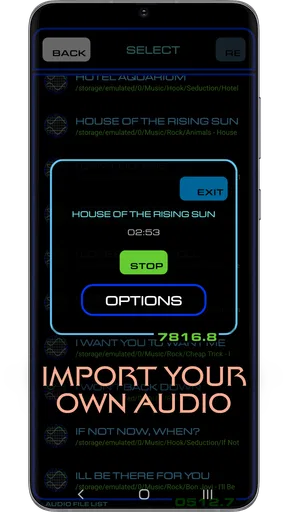
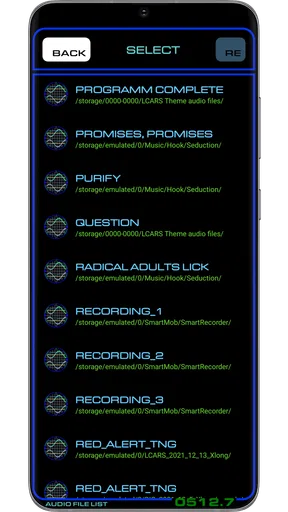
The option to use my own sounds also changes the app’s role. I am not limited to the built-in science-fiction theme. If I have an audio file that suits a particular contact, reminder, or alarm, I can bring that personal preference into the same workflow. This makes the app more flexible than a fixed soundboard, but it also means the quality of my results depends on the audio I choose.
Turning a theme into a workable alert system
I would not assign the most dramatic sound to every event. That quickly makes the phone feel noisy, and repeated novelty loses its charm. A better approach is to create a simple hierarchy. I use a recognizable but moderate sound for general notifications, reserve a more forceful one for calls, and choose something clear for alarms. The goal is not to make every alert memorable; it is to make important alerts distinguishable.
That is one of the less obvious strengths of this app. The sound collection can be treated as a set of labels rather than a pile of effects. When each category has its own audio identity, I can react more quickly and avoid checking the screen for every small interruption. This is particularly useful for people who keep their phone on a table while working, cooking, or studying.
There is also a trade-off between recognition and social comfort. A distinctive sound may be fun at home but too noticeable in a quiet office, classroom, waiting room, or public transport. I recommend testing each selection at a low volume before making it the everyday ringtone. A sound that seems exciting through the phone speaker can become distracting when it repeats throughout the day.
Using it in practice without overcomplicating the phone
My first practical test was to treat the app as a replacement for the phone’s ordinary sound picker. I looked for a sound that could survive regular use, not just one that made me smile once. The best choices were short, clear, and different from the other alerts already active on the device. A sound can be memorable yet still be a poor notification if its opening is too soft or its character is difficult to recognize in background noise.
The workflow is most satisfying when I decide in advance what each sound is supposed to communicate. For example, I might use one style for incoming calls, another for alarms, and a quieter tone for routine notifications. If I change everything at once, it becomes harder to remember the new pattern. Changing one category at a time makes it easier to notice whether the customization is genuinely useful.
Using personal audio requires a little more judgement. I would avoid files with a long silent opening, since an alert may seem not to have played at all. I would also avoid sounds that begin softly and become loud later, because the phone may be ringing for several seconds before the important part arrives. A compact, immediately recognizable clip works better than a favorite passage that needs time to develop.
This is where TREK: Sounds feels different from a full audio-editing application. I would not choose it when I need to trim, mix, normalize, or carefully produce a sound file. Its value is in applying sound choices to phone behavior, not in replacing a dedicated editor. Preparing a suitable file elsewhere, then using it here, is the sensible workflow if my own audio needs cleanup.
A realistic daily setup
Imagine working from home with the phone across the room. I assign a clear sci-fi tone to calls, a less urgent sound to general notifications, and a reliable alert to the morning alarm. When a sound plays, I can decide whether to stop what I am doing without immediately reaching for the device. A call gets my attention; a routine message does not have the same priority.
That scenario shows the app at its best. The benefit is not that the phone suddenly becomes more entertaining. It is that the sound scheme reduces small decisions. I do not need to read every notification to know whether it is likely to require action. The arrangement works even better when I keep the number of active sounds limited and give each one a clear job.
Another useful situation is a shared household. If several phones use similar default tones, it can be difficult to know whose device is ringing. A distinctive personal sound can remove that confusion. I would still keep the volume appropriate, but the individual identity is valuable when phones are placed together during meals or visits.
For alarms, I recommend choosing a sound that is clear without being unpleasant. A dramatic effect may be excellent for waking up once, but hearing it every morning can create an immediate negative association. I prefer a sound with a strong opening and enough variation to be noticed, while avoiding something so aggressive that I start the day annoyed.
What the app does better than ordinary alternatives
The usual alternative is the phone’s built-in sound library. That option is convenient, free with the device, and usually integrated into the operating system. It is the better choice if I only need a basic ringtone and do not care about a particular theme. It also tends to be the safer route for someone who wants the fewest setup decisions.
TREK: Sounds is more appealing when the default library feels anonymous. The science-fiction focus gives the phone a consistent personality instead of offering unrelated tones. I can build a recognizable sound language rather than selecting random effects from a large general-purpose collection. The app’s narrow theme is therefore a strength for enthusiasts, even though it limits its appeal for everyone else.
Another alternative is searching for individual sound files and assigning them manually. That may provide more variety, but it can be inconvenient and inconsistent. Files may differ in loudness, length, or suitability for notifications. The advantage of a focused app is that it starts with a clear purpose: finding sounds that belong in the phone’s ringtone, alarm, and notification experience.
There is also a difference between this app and visual personalization tools. A wallpaper or icon pack changes what I see, but it does not help when the phone is out of sight. Sound customization works in moments when the display is locked or unavailable. That makes this a particularly sensible purchase for someone who values functional personalization rather than visual decoration alone.
Still, I would not claim that it replaces a modern customization platform. If I want coordinated wallpapers, widgets, icon shapes, lock-screen layouts, and automation, I would look elsewhere. TREK: Sounds addresses the audio layer and does that more directly than a broad theme app, but its focus should be understood before buying.
The compromises I noticed during regular use
The biggest limitation is the narrow audience. If science-fiction sounds do not appeal to me, the central reason to install the app disappears. The ability to use my own sounds adds flexibility, but it does not transform the app into a universal personalization package. Someone seeking nature sounds, music clips, seasonal tones, or a broad catalog of unrelated styles may be happier with a general ringtone utility.
The $2.49 price also deserves a realistic explanation. It is modest for a specialist customization tool, but the value depends on how often I use the sounds. If I change my ringtone once and never touch it again, a paid app may feel unnecessary. If I enjoy maintaining a themed phone and use different sounds for several everyday events, the purchase makes more sense.
Because the app was released in 2014, I approach it as an established, focused utility rather than a showcase for current Android design trends. The current version is 13.0 and it requires Android 7.0 or later, which should suit many compatible devices, but users with older phones need to check their operating system before purchasing. I also would not expect the visual experience to be the main attraction; the sound function is what justifies the app.
There is a practical risk in choosing sounds that are too similar. A themed collection can encourage me to pick several effects with the same dramatic character, but that defeats the purpose of fast recognition. I recommend assigning each sound in a different listening environment: first in a quiet room, then with ordinary household noise, and finally at the volume I actually use. A tone that is obvious in silence may disappear beside a television or fan.
Another point is restraint. The more categories I customize, the more important it becomes to remember the pattern. I found that a small set of deliberate assignments worked better than constant switching. The app rewards a little planning, while users who expect instant, automatic personalization may find that extra thought inconvenient.
Questions I would consider before installing
If I want to use my own audio, I would first make sure the file is already suitable for an alert. The app’s usefulness is not the same as having a complete editing workstation. A short file with a clear beginning is a better candidate than a long recording, and testing it as a notification is more informative than judging it only through headphones.
If I am concerned about disturbing other people, I would use the more recognizable sounds selectively. The best setting for a dramatic ringtone is not necessarily a meeting or a quiet public place. I can keep the themed identity for alarms or private use while choosing a restrained notification sound for shared environments.
If I am wondering whether the app is suitable for an older device, the key requirement is Android 7.0 or later. The Everyone rating also makes the app broadly suitable from an age-content perspective. Those details do not guarantee that every phone will feel identical, but they give me a straightforward compatibility and audience check before spending money.
If I am comparing it with free ringtone downloads, I would ask whether convenience and consistency matter to me. Free sources may offer more variety, but they can require more searching and manual organization. This app is easier to justify when I want a coherent science-fiction theme and a simple place to manage that idea, rather than an endless catalog.
Who gets the most from this focused customization
I think TREK: Sounds is aimed at people who enjoy science-fiction audio design and want that interest to appear in ordinary phone use. It is especially good for someone who keeps the phone nearby but does not always look at it, because distinctive alerts provide information through sound alone. It also suits anyone who has grown tired of generic tones but does not want to build a complete visual theme.
It can be useful for a family member who often confuses their phone with another device in the room. Giving calls and notifications a recognizable identity is a small change, but it removes an everyday annoyance. Likewise, a person working in a home office may appreciate knowing whether an alert is urgent without interrupting a task every time the phone makes a noise.
I would skip it if I rarely use custom sounds, prefer silent or vibration-only alerts, or want a broad personalization suite. I would also skip it if I expect advanced audio production, automatic profiles, or a large collection covering many unrelated moods. The app’s focused concept is its appeal, and that same focus makes it the wrong purchase for users with broader expectations.
My advice is to decide on the sound system before installing: which event deserves the strongest identity, which alert should stay subtle, and whether I already have personal audio ready to use. That simple plan prevents the common mistake of assigning a memorable sound everywhere and becoming tired of it within a few days.
After using it, I see TREK: Sounds as a small but purposeful personalization app. It does not need to do everything because its best feature is clear: it gives calls, alarms, and notifications a recognizable science-fiction character, with room for personal audio when I want something more individual. I recommend it when sound is part of how you organize your day, not merely decoration. For fans of the theme, the $2.49 purchase is reasonable; for anyone satisfied with standard tones, the built-in phone options remain the more sensible choice.
Verdict
Strengths of TREK: Sounds [Pro]
- Immersive soundscapes create a relaxing atmosphere for focus or unwinding.
- Simple interface makes it easy to start listening without a steep learning curve.
- Useful for masking distracting background noise during work or study.
- High-quality audio helps the tracks feel natural and engaging.
- Pro version offers a focused experience without unrelated app clutter.
Limitations of TREK: Sounds [Pro]
- The sound selection may feel limited for users seeking more variety.
- Some tracks can become repetitive during extended listening sessions.
- Audio preferences may require manual adjustment for different environments.
- The app may use noticeable battery or storage during long listening periods.
- Its benefits depend heavily on personal taste in ambient sound design.
Other Releases by NSTEnterprises
View All
TREK: Total Interface
Personalization4.7
Similar Picks in This Category
View All
Microsoft SwiftKey AI Keyboard
SwiftKey4.3

Wallpapers
Google LLC4.1

Zedge™ Wallpapers & Ringtones
Zedge4.7

Yandex Browser with Alice AI
Direct Cursus Computer Systems Trading LLC4.3

Ringtone Maker:create ringtone
Big Bang Inc.4.7

Fonts Keyboard
Fonts Keyboard3.9
Frequently Asked Questions
What is TREK: Sounds [Pro], and what is it designed for?
TREK: Sounds [Pro] is an audio-focused application intended to provide a curated sound experience for users who want background audio, atmospheric listening, or relaxation-oriented soundscapes. Its appeal is its straightforward design and emphasis on listening rather than complicated controls. Before downloading, users should check the current store description to confirm the available sound categories, supported devices, and whether the Pro version includes the complete audio library without additional purchases.
Does TREK: Sounds [Pro] require an internet connection?
The connection requirements may depend on how the app handles its audio content. Some sounds may be streamed or downloaded when first selected, while others could be available for offline playback after installation. We recommend opening the app once while connected to Wi-Fi and checking whether individual tracks offer a download or offline option. Users with limited mobile data should also review the app’s storage and network permissions before using it regularly.
What does the Pro version include compared with the free version?
The Pro edition is generally intended to provide a more complete experience than a basic or limited release, potentially including additional sounds, fewer interruptions, expanded playback options, or access to features unavailable in the free version. However, the exact package can vary by platform and store listing. Before downloading, compare the current Android or iOS description carefully, especially if the Pro app is sold separately or has different features across devices.
Is TREK: Sounds [Pro] suitable for sleep, meditation, or concentration?
The app may be useful for sleep routines, meditation, reading, studying, or concentration if you enjoy continuous ambient audio. Its effectiveness depends on the type of sounds provided and your personal preferences, since some users prefer gentle, consistent backgrounds while others find repetitive audio distracting. It should be treated as a listening aid rather than a medical or therapeutic solution, and volume should remain comfortable to protect your hearing.
Is TREK: Sounds [Pro] safe and compatible with my phone?
Before installing TREK: Sounds [Pro], check the official Google Play or App Store page for the required operating-system version, developer information, recent update history, permissions, and privacy details. Audio applications commonly need permission for notifications or background playback, but they should not request access unrelated to their purpose. Downloading from an official store is the safest option, and users should confirm that their device has enough free storage for the app and any saved sounds.
